
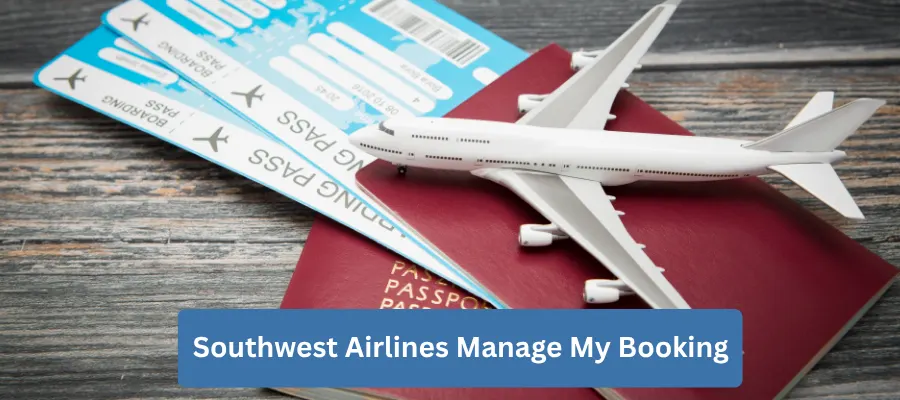
The Southwest Airlines Manage My Booking Policy gives travelers the flexibility to view, update, and control their flight reservations before departure. Whether you need to change your flight, cancel your booking, update passenger details, add your Rapid Rewards® number, purchase travel extras, check in, or access your boarding pass, Southwest provides convenient self-service tools through its website and mobile app. Most reservation changes can be completed online without contacting customer service, making trip management fast and hassle-free. Understanding how the Manage My Booking feature works, what changes are allowed, and the applicable rules can help you save time and make your travel experience smoother from booking to boarding.
What Is the Southwest Airlines Manage My Booking Policy?
The Southwest Airlines Manage My Booking Policy allows passengers to access and manage their reservation after purchasing a ticket.
Through the Manage Reservations section, travelers can:
- View reservation details
- Change eligible flights
- Cancel reservations
- Check in online
- Access boarding passes
- Add a Rapid Rewards® account number
- Update a Known Traveler Number
- Purchase eligible travel extras
- Review trip information
Most of these services are available through both the Southwest website and mobile app.
Does Southwest Airlines Offer an Online Manage Booking Feature?
Yes.
Southwest provides a self-service Manage Reservations feature that allows customers to handle most travel-related requests without visiting the airport or calling customer support.
Passengers can manage:
- Domestic bookings
- International bookings
- One-way trips
- Round-trip reservations
- Rapid Rewards bookings
- Cash bookings
Certain special reservations, such as vacation packages or partner airline itineraries, may require direct assistance.
How Does Southwest Airlines Manage My Booking Work?
The process is simple.
Passengers retrieve their reservation using:
- Confirmation number
- First name
- Last name
Once the booking is displayed, eligible options become available based on:
- Fare type
- Booking status
- Departure time
- Route
- Reservation type
Any applicable fare differences or additional charges are displayed before changes are confirmed.
Features Available Through Manage My Booking
Southwest’s online reservation management tool offers numerous self-service options.
Passengers may:
- View itinerary
- Change flights
- Cancel reservations
- Rebook travel
- Check in online
- Download boarding passes
- Update traveler information where permitted
- Add Rapid Rewards details
- Add Known Traveler Number
- Review travel funds
- Purchase travel upgrades
Who Can Use Manage My Booking?
Most passengers with confirmed Southwest reservations may use the service.
Eligible travelers include:
- Individual passengers
- Families
- Business travelers
- Rapid Rewards members
- Domestic travelers
- International travelers
Some reservations may require customer service assistance.
Southwest Airlines 24-Hour Rule
Southwest allows eligible reservations booked directly through the airline to be canceled within 24 hours of booking for a full refund when the reservation was made at least seven days before departure.
Passengers who decide to change their plans shortly after booking may also use the Manage Reservations feature to modify eligible trips.
How to Access Southwest Airlines Manage My Booking
Managing your reservation takes only a few steps.
Step 1
Visit the Southwest Airlines website.
Step 2
Select Manage Reservations.
Step 3
Enter:
- Confirmation number
- First name
- Last name
Step 4
Retrieve your booking.
Step 5
Choose the service you need.
Step 6
Review any applicable charges.
Step 7
Confirm your changes.
Step 8
Receive an updated itinerary by email.
Manage Your Booking Through the Mobile App
The Southwest mobile app offers nearly all of the same features as the website.
Passengers can:
- View upcoming trips
- Change flights
- Cancel reservations
- Check in
- Access mobile boarding passes
- Monitor flight status
- Receive travel notifications
The app is particularly useful for travelers making last-minute changes.
View Your Flight Details
After logging into your reservation, you can review:
- Flight numbers
- Departure time
- Arrival time
- Airports
- Passenger information
- Fare type
- Confirmation number
This helps travelers verify reservation accuracy before departure.
Change Your Flight
Eligible reservations may be changed directly through Manage Reservations.
Passengers can modify:
- Departure date
- Return date
- Flight time
- Destination (when applicable)
Southwest generally does not charge a flight change fee, although fare differences may apply if the new flight costs more. Basic fares must generally be upgraded before they can be changed.
Cancel Your Reservation
Passengers may cancel eligible reservations online.
After retrieving the reservation:
- Select Cancel.
- Review cancellation details.
- Confirm the request.
Depending on the fare purchased, travelers may receive:
- Refund
- Flight Credit
- Transferable Flight Credit™
Eligibility depends on the fare rules.
Check In Online
Online check-in becomes available 24 hours before departure.
Passengers can:
- Check in
- Obtain boarding passes
- Save mobile boarding passes
- Print boarding passes
Checking in early may improve boarding opportunities on flights where applicable.
Download Your Boarding Pass
After check-in, travelers may:
- Save a mobile boarding pass
- Print a paper boarding pass
- Re-access the boarding pass through the mobile app
Keeping the boarding pass readily available helps streamline airport procedures.
Add Your Rapid Rewards Number
Passengers can add or update their Rapid Rewards® account number through Manage Reservations.
Doing so allows eligible travelers to:
- Earn qualifying points
- Access account benefits
- Track future travel
This option is available before departure.
Add Your Known Traveler Number
Passengers enrolled in trusted traveler programs may also add their Known Traveler Number (KTN).
Benefits may include:
- TSA PreCheck® eligibility
- Faster airport security screening (where available)
The KTN can be added before travel through Manage Reservations.
Update Passenger Information
Certain reservation details may be corrected before travel.
Passengers may request:
- Minor name corrections
- Contact information updates
- Frequent flyer information updates
Complete ticket transfers to another traveler are generally not permitted.
Purchase Travel Upgrades
Depending on your itinerary, you may purchase additional services, including:
- Fare upgrades
- Priority boarding
- Seat upgrades (where available)
- Additional travel options
Available upgrades depend on aircraft configuration and fare type.
Manage Reservations for Multiple Passengers
If your reservation includes multiple travelers, Southwest generally allows you to change only selected passengers on eligible bookings.
When this occurs:
- The modified passenger receives a new confirmation number.
- Remaining travelers stay on the original reservation.
This provides additional flexibility for families and groups.
Reservations That May Require Customer Service
Some bookings cannot be managed entirely online.
Examples include:
- Getaways by Southwest™ vacation packages
- Certain partner airline itineraries
- Reservations with lap children
- Complex international itineraries
- Some group bookings
In these situations, Southwest representatives can provide assistance.
Manage Flight Credits
Passengers may also manage eligible:
- Flight Credits
- Transferable Flight Credits™
Travel credits may be applied toward future eligible reservations before their expiration date.
What Happens If Southwest Changes Your Flight?
If Southwest changes your schedule, eligible travelers may:
- Accept the updated itinerary.
- Choose another available flight.
- Modify travel dates within the permitted window.
- Request a refund if eligible.
Passengers generally have additional flexibility after airline-initiated schedule changes.
Can You Manage Award Bookings?
Yes.
Rapid Rewards award reservations may also be managed online.
Passengers can:
- Change flights
- Cancel reservations
- Redeploy points according to fare rules
- View account activity
Award bookings follow Rapid Rewards program rules.
Can You Manage Group Reservations?
Some group bookings may be partially managed online.
However, larger group reservations often require assistance from Southwest Group Travel Services, particularly for:
- Passenger updates
- Payment schedules
- Major itinerary changes
Rules for Using Manage My Booking
Keep these important guidelines in mind:
- Use your confirmation number to retrieve your booking.
- Make changes before departure.
- Basic fares generally cannot be changed without an upgrade.
- Fare differences may apply.
- Check in begins 24 hours before departure.
- Cancel at least 10 minutes before departure to avoid no-show consequences.
Benefits of Southwest Airlines Manage My Booking
Using Manage Reservations offers several advantages.
These include:
- Quick online access
- Easy flight changes
- Convenient cancellations
- Mobile boarding passes
- Rapid Rewards management
- Flight credit access
- Real-time itinerary updates
- Reduced need to contact customer service
Tips for Managing Your Reservation
Keep Your Confirmation Number Handy
You’ll need it to retrieve your reservation.
Review Your Booking Early
Confirm travel dates, passenger names, and itinerary details well before departure.
Check In Promptly
Online check-in opens 24 hours before departure.
Update Your Rapid Rewards Number
Earn eligible points for your trip.
Monitor Flight Notifications
The mobile app provides important travel updates.
Cancel Before the Deadline
If you can’t travel, cancel at least 10 minutes before departure to preserve eligible ticket value.
Common Reasons Travelers Use Manage My Booking
Passengers commonly access their reservation to:
- Change travel dates
- Cancel flights
- Download boarding passes
- Check flight status
- Update traveler information
- Add frequent flyer details
- Purchase upgrades
- Review travel credits
The self-service platform makes these tasks quick and convenient.
Final Thoughts
The Southwest Airlines Manage My Booking Policy gives travelers a simple and flexible way to control their reservations from booking through departure. Whether you need to change your flight, cancel a reservation, check in online, download your boarding pass, add your Rapid Rewards® account, or update eligible booking details, the airline’s website and mobile app make managing your trip easy. Most reservations can be modified online without contacting customer service, saving time and providing greater flexibility. By reviewing your itinerary early, understanding your fare rules, and making any necessary changes before departure, you can enjoy a smoother and more convenient travel experience with Southwest Airlines.
Southwest Airlines Manage My Booking Policy FAQs
How Can I Access Southwest Airlines Manage My Booking?
You can access Southwest Airlines Manage My Booking by entering your confirmation number and passenger details on the airline’s website.
Can I Change My Flight Through Southwest Airlines Manage My Booking?
Yes, Southwest Airlines allows eligible travelers to change flight dates, times, and routes through the Manage My Booking section.
Can I Cancel a Reservation Using Southwest Airlines Manage My Booking?
Yes, passengers can cancel eligible reservations and review available refund or travel credit options through their booking account.
Does Southwest Airlines Charge Fees for Booking Changes?
Southwest Airlines generally does not charge change fees, though fare differences may apply when modifying a reservation.
Can I Update Passenger Information Through Southwest Airlines Manage My Booking?
Passengers may update certain booking details, subject to Southwest Airlines policies and ticket conditions.
Can I Add Special Assistance Requests Using Southwest Airlines Manage My Booking?
Yes, travelers can often request special assistance services, such as wheelchair support, through their reservation management options.
How Do I Add a Companion to My Southwest Airlines Booking?
Eligible Rapid Rewards members may be able to add a companion through their account, depending on Companion Pass benefits.
Can I Check My Flight Status Through Southwest Airlines Manage My Booking?
Yes, Southwest Airlines Manage My Booking allows passengers to review flight schedules and status updates.
Can I Change My Seat Through Southwest Airlines Manage My Booking?
Southwest Airlines uses an open seating system, so traditional seat selection is generally not available.
Can I Add Checked Baggage Through Southwest Airlines Manage My Booking?
Passengers can review baggage allowances and manage eligible travel extras before departure.
Does Southwest Airlines Manage My Booking Allow Same-Day Flight Changes?
Yes, eligible travelers may request same-day flight changes based on availability and fare rules.
Can I Update Contact Information Through Southwest Airlines Manage My Booking?
Yes, passengers can typically update email addresses and phone numbers associated with their reservation.
How Do I Retrieve a Lost Southwest Airlines Reservation?
You can locate your booking using your confirmation number, flight details, or account information.
Can I Use Southwest Airlines Manage My Booking for Award Tickets?
Yes, Rapid Rewards bookings can usually be viewed and managed through the same booking management tools.
Can I Request a Refund Through Southwest Airlines Manage My Booking?
Eligible refund requests and travel credit options may be available depending on the ticket type and fare conditions.
Is Southwest Airlines Manage My Booking Available on Mobile Devices?
Yes, travelers can manage reservations through the Southwest Airlines website and mobile app.
Can I Modify Multiple Passengers on One Southwest Airlines Booking?
Changes for multiple travelers may be available, depending on the reservation type and applicable fare rules.
What Should I Do If Southwest Airlines Manage My Booking Is Not Working?
Try refreshing the page, verifying your booking details, or contacting Southwest Airlines customer support for assistance.
Why Use Southwest Airlines Manage My Booking?
Southwest Airlines Manage My Booking provides a convenient way to update travel plans, check flight details, and manage reservations online.
|
|
|

|

|
|
|

|

|

|

|
|